Strategy · Explanatory guide
Portals for associations, councils and non-profits: where to start
When a member portal is worth building, and what to settle first: clean records, roles and consent, accessibility, procurement questions and adoption.
Start with the job, not the portal
A member or stakeholder portal is a secure place where people sign in to do something: update their details, register, submit a form or check their own records. For an association, council, non-profit or public body, it can save staff time and give members one place to go. It can also become an expensive sign-in screen that few people use.
When a portal is worth it
A portal earns its cost when members need to do something involving their own information, more than once, and staff currently handle it by hand. Typical signs:
- Members update contact or business details by email or phone.
- Registrations, renewals or reports arrive as attachments and get re-typed.
- Different groups need to see different information, which today means separate lists.
- A program, such as a points scheme or a certification, depends on knowing exactly who each participant is.
If the real problem is that members do not hear about things, a portal is usually the wrong first step. Better email, a clear website and the right outreach channels solve that for less. The BC Blueberry Council's winter town halls show the outreach side: promoted in English and Punjabi through ads, radio, newspaper, phone calls and gurdwara visits, they drew more than 450 registrations against a typical maximum of about 150 to 180. Those are registrations, not attendance, and none of it needed a sign-in.
Clean the records first
A portal is a set of screens on top of a list of people. Duplicates, missing contacts and outdated fields all show up on those screens, now in front of members.
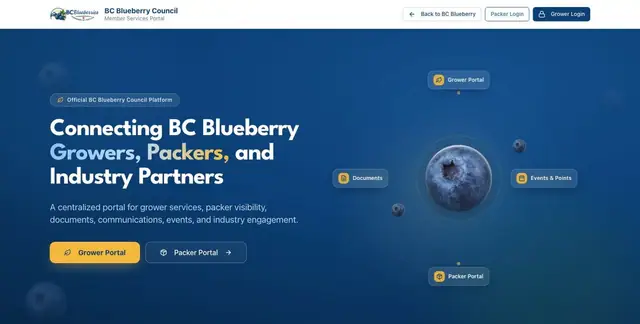
The BC Blueberry Grower Portal case study sets the order plainly. The grower database was corrected first, from about 60 usable records to more than 300, which the case study describes as record correction, not growth. Only then did the portal launch, in April 2026.
Before any build, agree what counts as one record, list every place member information is kept, decide who resolves unclear duplicates, and name who owns the list after launch.
Roles and consent
Decide who sees what before anyone designs a screen. Most portals need at least three kinds of access: members, partner organizations that work with them, and staff who approve and administer. The grower portal launched with three role-based areas, for growers, packers and administrators. The Uptown franchise ordering portal applies the same idea in a different setting: a five-step order flow with corporate approval and permissions scoped to each location.
Consent belongs in the same conversation. In Canada, the Office of the Privacy Commissioner's PIPEDA brief explains who the federal private-sector privacy law covers and notes that Alberta, British Columbia and Quebec have their own private-sector laws deemed substantially similar. Which rules apply to your organization, and to which activities, is a question for your privacy officer or legal counsel, and public bodies and organizations outside Canada should confirm their own. Whatever applies, the practical steps are similar: collect only what the portal needs, say plainly why, record when and how consent was given, and let members see and correct their own information.
Build around what members actually do
Members rarely sign in to browse. They sign in to finish a task: renew, register, update an address, download a document, check a status. List those tasks with real members, rank them by how often they happen, and make the top three obvious from the first screen. The rest can wait for a later phase.
Ask a small group to try each task on a phone and a computer, and watch where they stop. Suppose a renewal takes eight screens and a forgotten password. That is the problem to fix, not the absence of a forum or a news feed.
Accessibility and plain language
A portal for a broad membership has to work for people using screen readers, keyboards, older devices and second languages. The W3C's WCAG 2 overview describes the shared international standard for web accessibility, and the W3C encourages using the latest version. Name the version and level in the contract.
Plain language matters as much as code. The Canada.ca Content Style Guide advises starting with the most important information, using familiar words and writing in the active voice. Apply that to button labels, error messages and emails, not only help pages. If members work in more than one language, decide early which screens and messages will be translated.
Questions public bodies will ask
Boards and public bodies tend to ask the same questions during procurement. Have answers ready before the request for proposals:
- Ownership. Who owns the data, the code and the domain? Can everything be exported in a usable format?
- Hosting. Where is the data stored, and who can access it?
- Continuity. Is the work documented well enough for another provider to take over?
- Accessibility. Which WCAG version and level is required, and how will it be tested?
- Running costs. What are the annual licence, hosting and support costs after launch?
- Staff roles. Who approves records, answers member questions and owns the system day to day?
Measure adoption, not features
A feature list says what the portal can do. Adoption says whether anyone uses it. Before launch, choose a few measures tied to the original problem: the share of eligible members registered and approved, the share of renewals or forms completed online, staff hours spent re-typing, and how many members update their own details.
The grower portal case study reports adoption in these terms: 217 approved grower registrations by July 31, 2026. A count of approved users against a known, corrected list says far more than a count of pages or features.
Review those numbers monthly in the first year. If adoption stalls, fix the failing task before adding anything new.
If you would like a second pair of eyes on a portal plan, business consulting is where to start.